
Now syncs both ways with COROSSee how

AI running coach · iPhone

Your training, understood.

Paceboard reads every run from your watch, tells you what it means in plain English, adapts your week to how you're recovering, and puts the next session on your wrist.

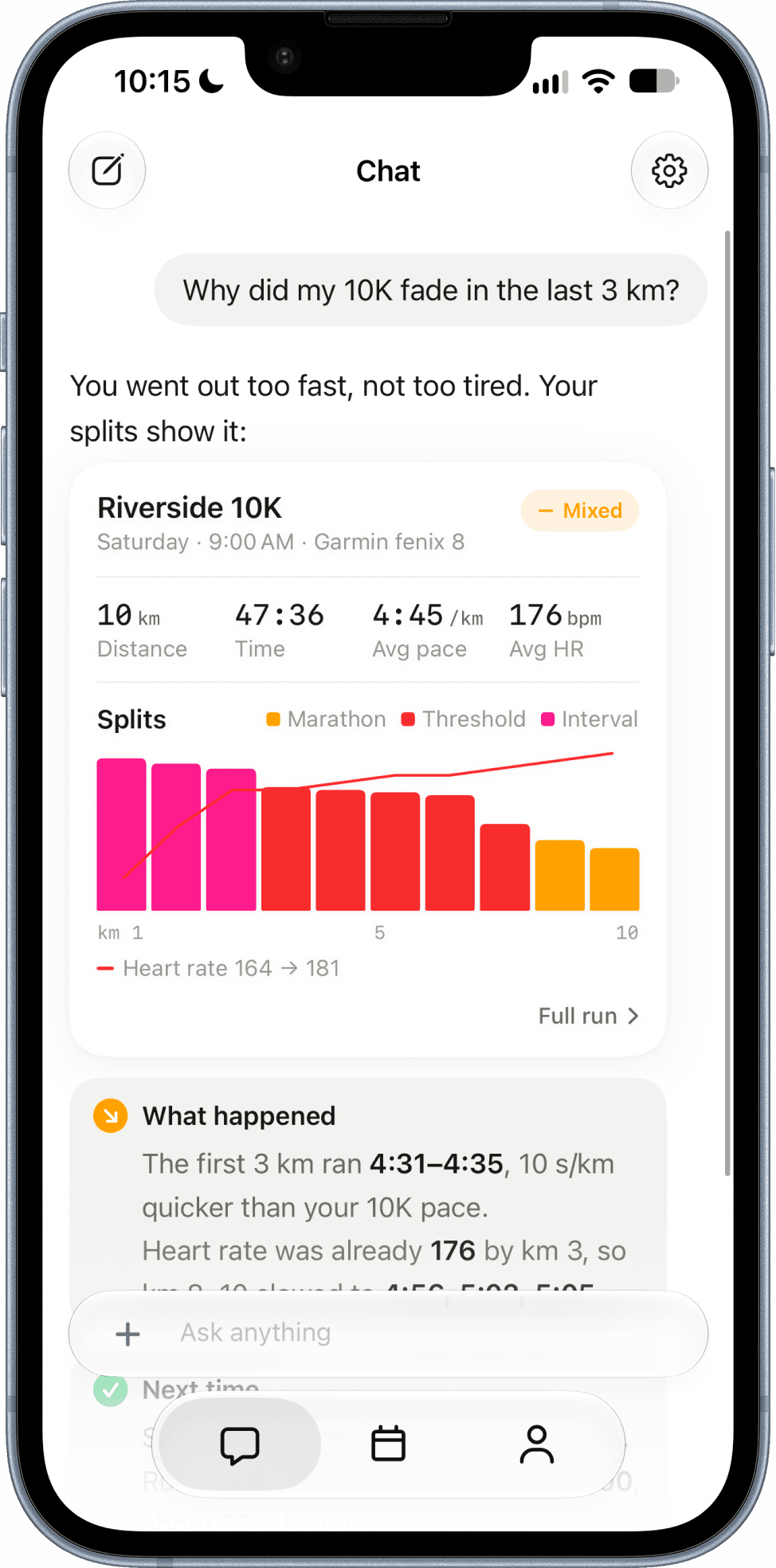
Paceboard chat explaining why a 10K faded, with split-by-split paces and a rising heart rate
Get Paceboard
  • Free to start
  • Garmin, COROS & Apple Watch

Works with

Apple Watch
Garmin
COROS

01 / 04

Every run, read back to you.

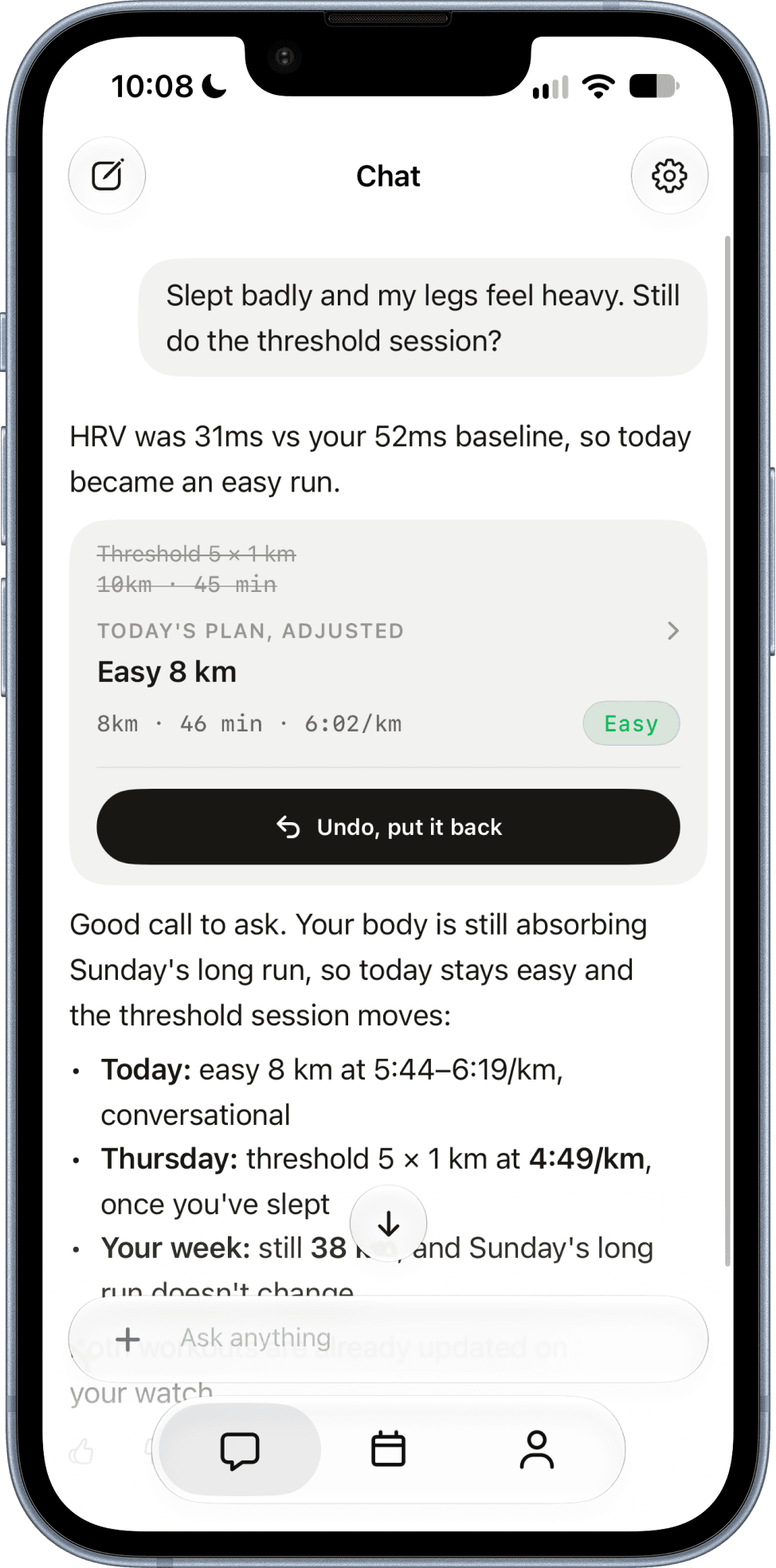
Slept badly? Your plan already knows.

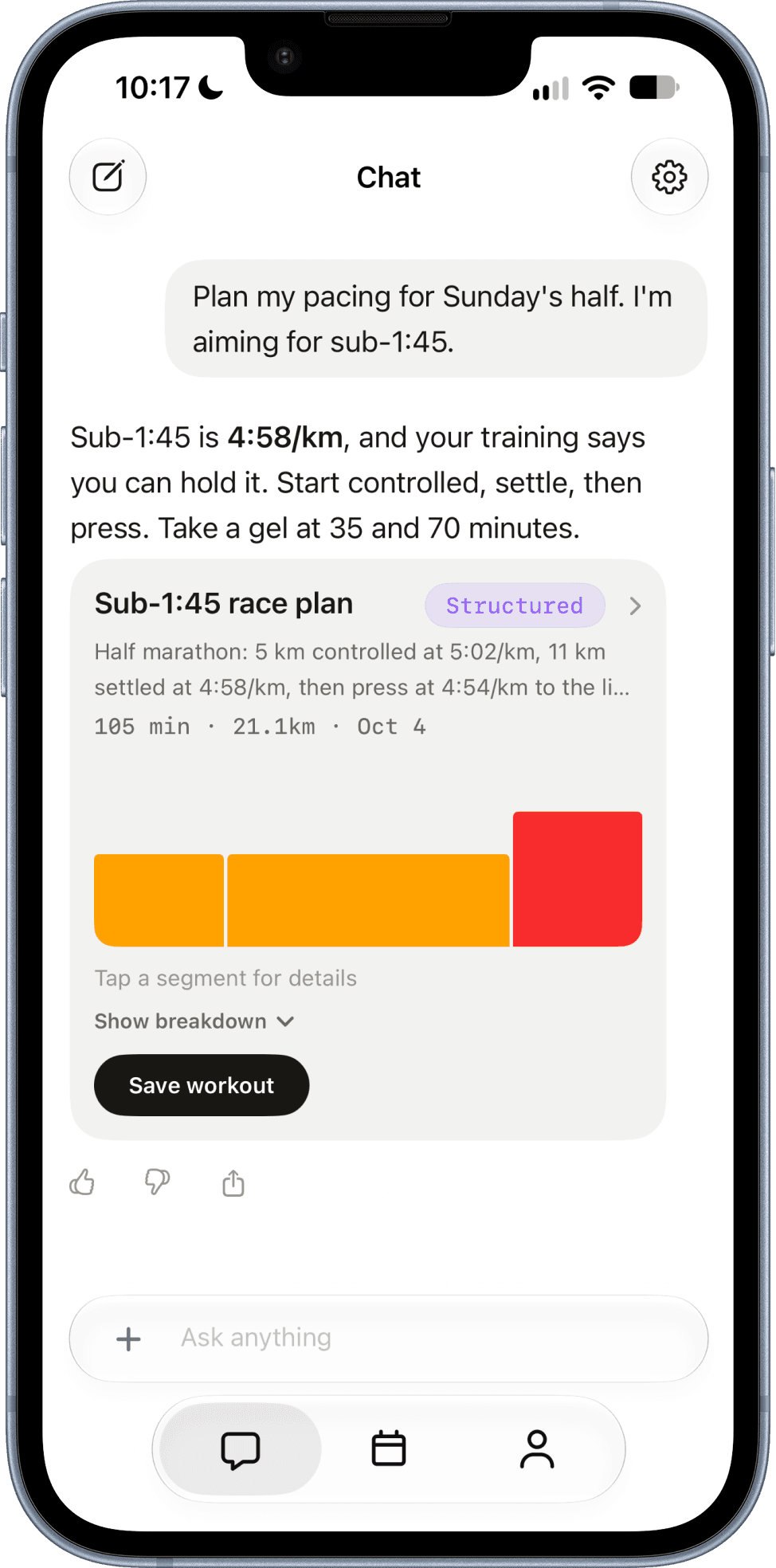
A race plan built from your training.

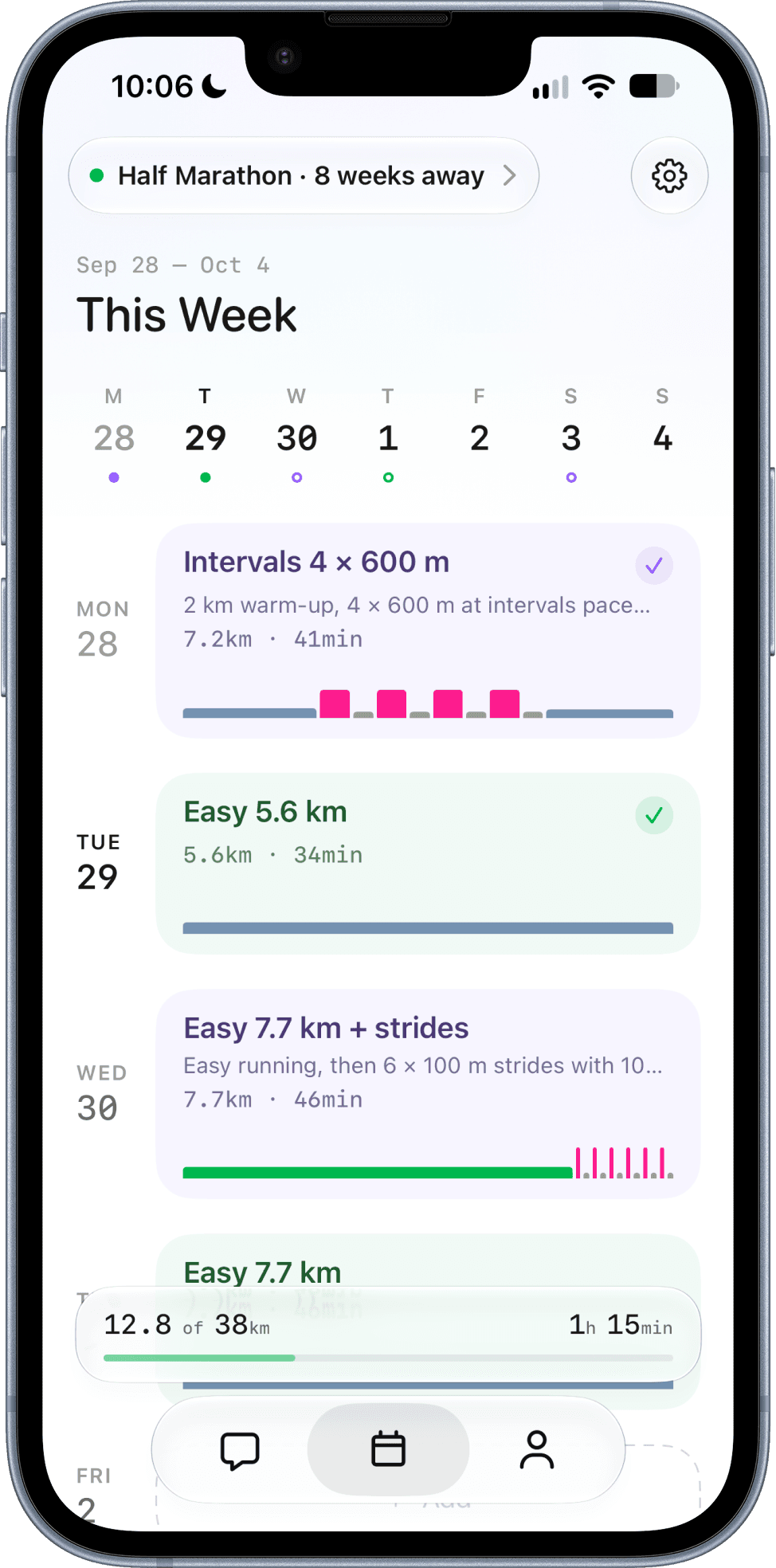
The whole week, against the race.

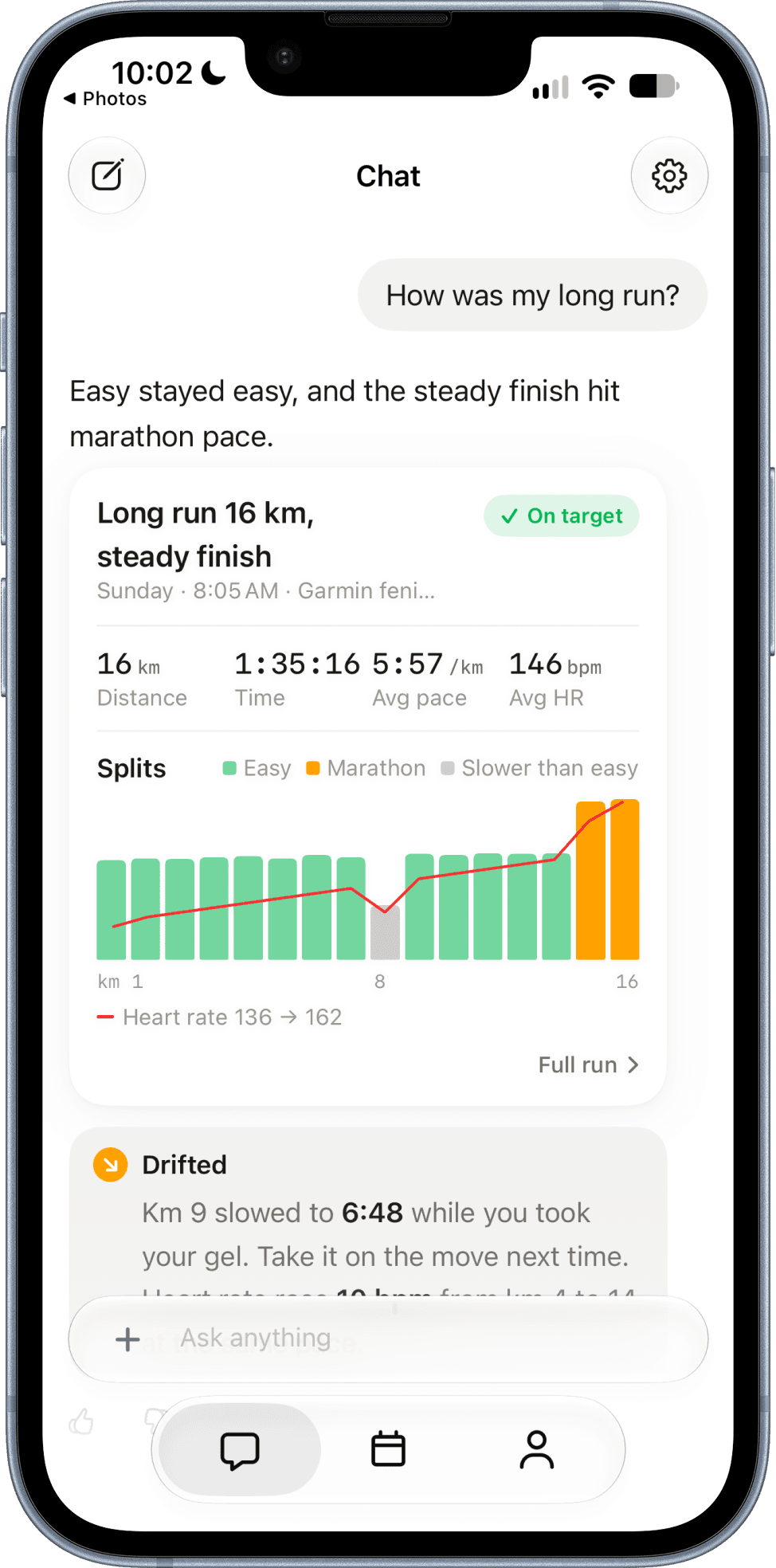
Paceboard long run review showing easy and marathon-pace splits with a heart rate trend and an On target badge
Paceboard chat swapping a threshold session for an easy run after a low HRV reading, with an undo button
Paceboard sub-1:45 half marathon race plan split into controlled, settled, and press segments
Paceboard weekly view showing completed runs, planned distance, and a half marathon countdown

Finish a run and ask how it went. Every split is checked against the pace you were meant to hit, then you hear where you drifted, why, and what to change next time.

Splits vs target · heart rate · on target

When your HRV dips below baseline, today's hard session becomes an easy run and the quality moves to a better day. Your week still adds up, and one tap puts it back.

HRV 31 ms · baseline 52 ms → easy 8 km

Name the goal. Paceboard checks it against what you've actually run, splits the race into controlled, settled, and press, with fuelling cues, and saves it to your watch.

Half · sub-1:45 · controlled / settled / press

Planned versus completed distance, active time, and a countdown to race day. Every finished run lands here, so the week keeps its own score.

Planned vs done · race countdown

Introducing Paceboard
The coach in your pocket

Get Paceboard
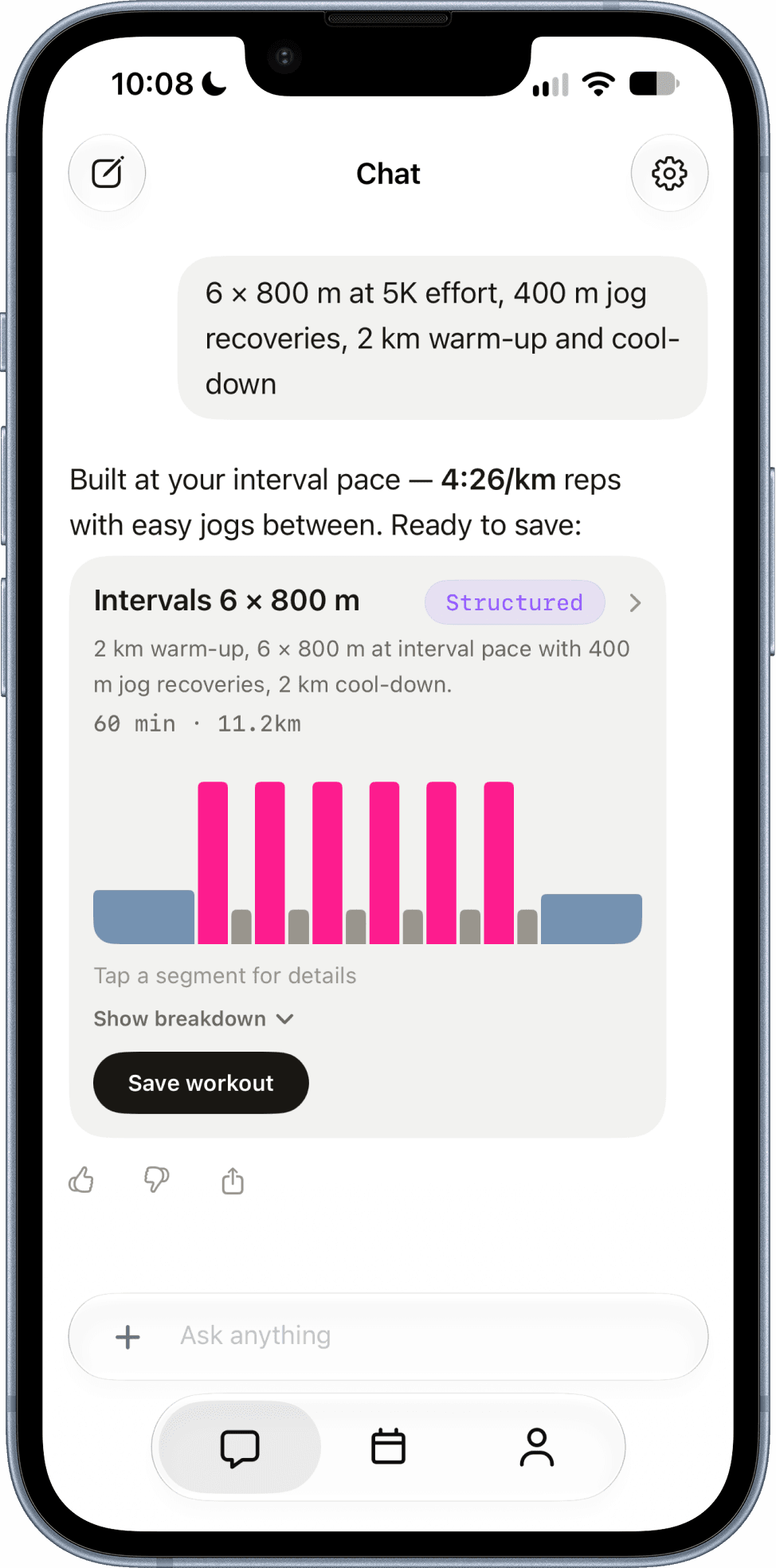
Paceboard chat turning a plain-English prompt into a structured 6 × 800 m interval session with pace targets

Build

Type it like you'd text your coach.

No pickers, no dragging blocks around. Write the session in plain English and every rep, pace target, and recovery is resolved for you.

  • Repeats and recoveries resolved
  • Targets set from your own fitness
  • Edit any step before it syncs
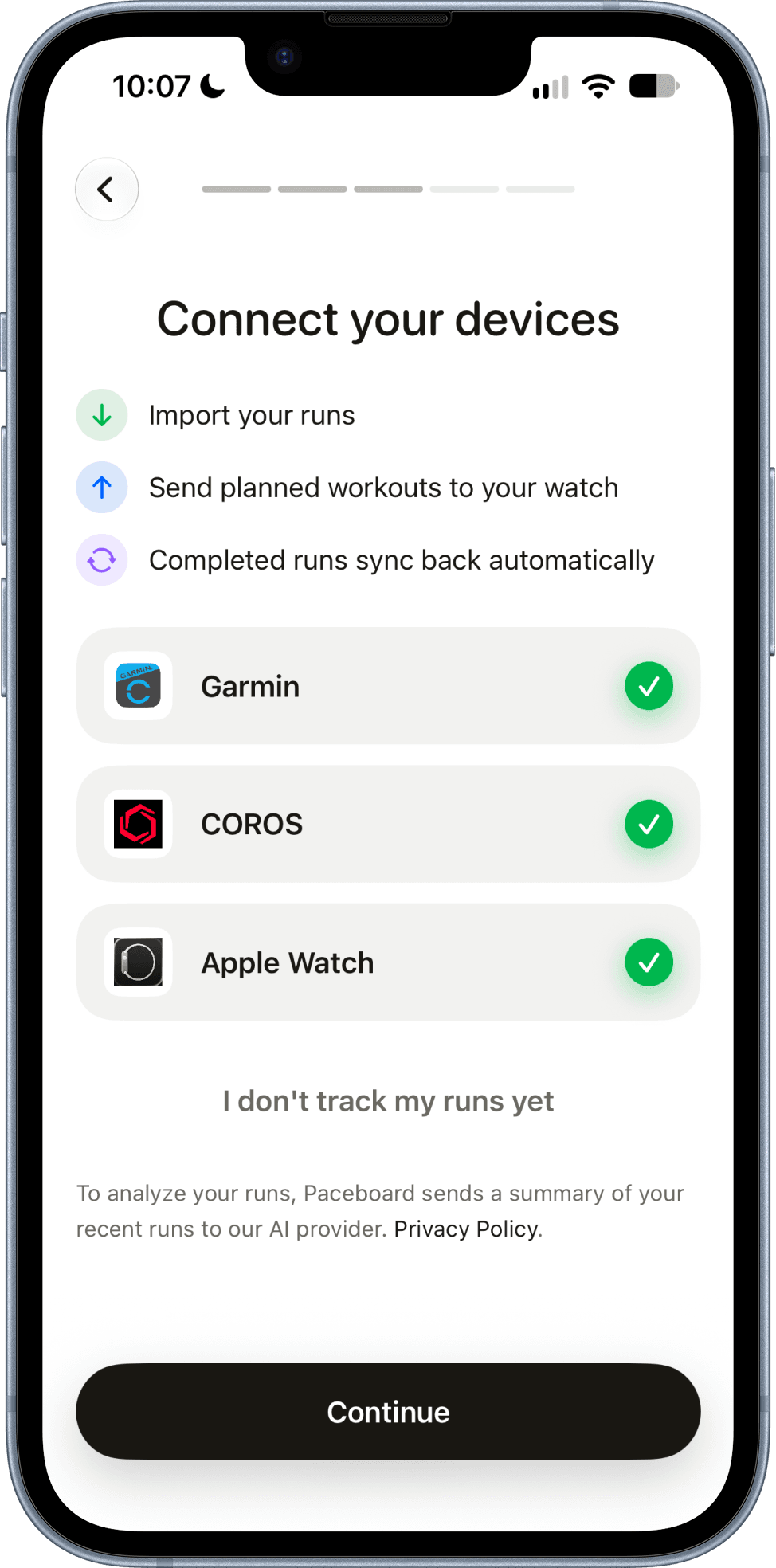
Paceboard device setup with Garmin, COROS, and Apple Watch all connected

Sync

It goes to the watch. The run comes back.

Connect Garmin, COROS, or Apple Watch once. Sessions land on your watch on the day they're scheduled, and finished runs sync back on their own.

  • Scheduled on the right date
  • Runs match the planned session
  • Recent runs import on connect
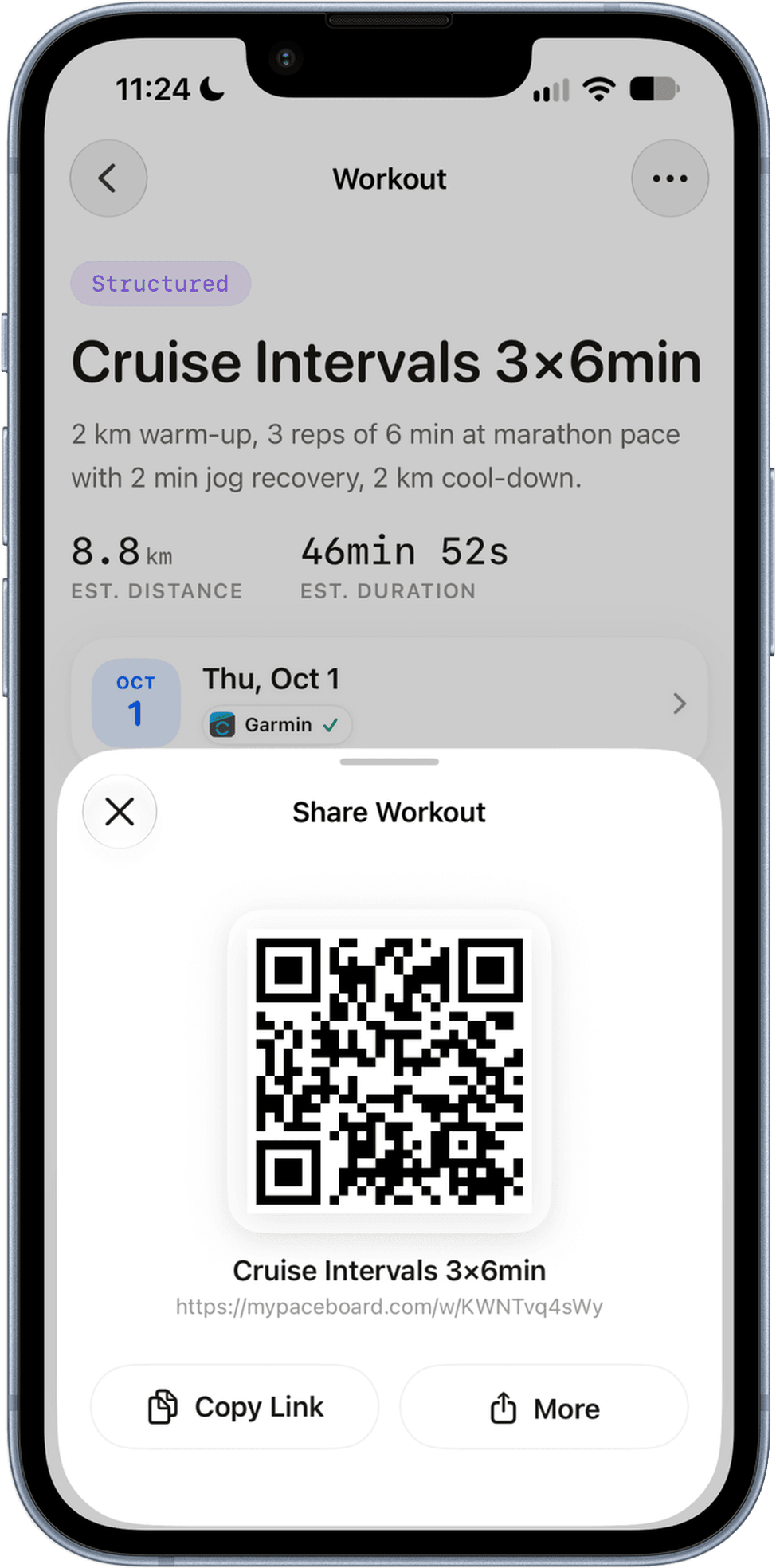
Paceboard share sheet showing a workout QR code and shareable link

Share

One workout. Your whole crew.

Send any session as a link or QR code. When a training partner opens it, every pace re-scales to their fitness — same workout, their targets.

  • Link or QR code
  • Paces scaled to each runner
  • Saves straight to their watch

From first rep
to race day.

Run analysis, recovery-aware plans, race pacing and watch sync. One app for the whole training block.

Get Paceboard
Long run review with splits and heart rate
Plan adjusted after a low HRV reading
Half marathon race plan
Workout built from a plain-English prompt
Garmin, COROS and Apple Watch connected
Sharing a workout by link or QR code

Questions

What does Paceboard actually do with my runs?

It reads them. Every run that syncs in is checked split by split against the paces you were meant to hit, alongside heart rate and recovery. Ask why a race faded or how a long run went and you get a straight answer, grounded in your own data.

Will it change my plan?

Only when your data says it should, and never without showing its work. If your HRV is well below baseline, a hard session can become an easy run and move to later in the week. Every change is one tap to undo.

Do I have to build workouts by hand?

No. Type the session the way you'd say it — "2km warmup, 3×(1km threshold + 400m interval, 90s jog), 1km cooldown" — and Paceboard resolves every rep, pace target, and recovery. You can still edit any segment afterwards.

Can I send workouts to my Garmin or COROS?

Yes. Connect Garmin or COROS once and workouts push straight to your watch, scheduled on the right day.

Do my completed runs come back into the app?

Yes. Once Garmin, COROS, or Apple Watch is connected, finished runs sync back and match themselves to the session you planned, so your week shows planned versus completed without any manual logging.

Can I upload or import a training plan?

There's no file import yet. But you can copy-paste a workout from a coach's email or a training doc and the parser handles it, one session at a time.

I already have a coach or a plan. Is this for me?

Yes. Paste in the sessions you already have and Paceboard gets them onto your watch correctly, then reads each run back against them. It explains what happened; your plan stays yours.

Ask about your last run. Get a real answer.

Free to start. Connect your watch and see what your training has been trying to tell you.

Get Paceboard